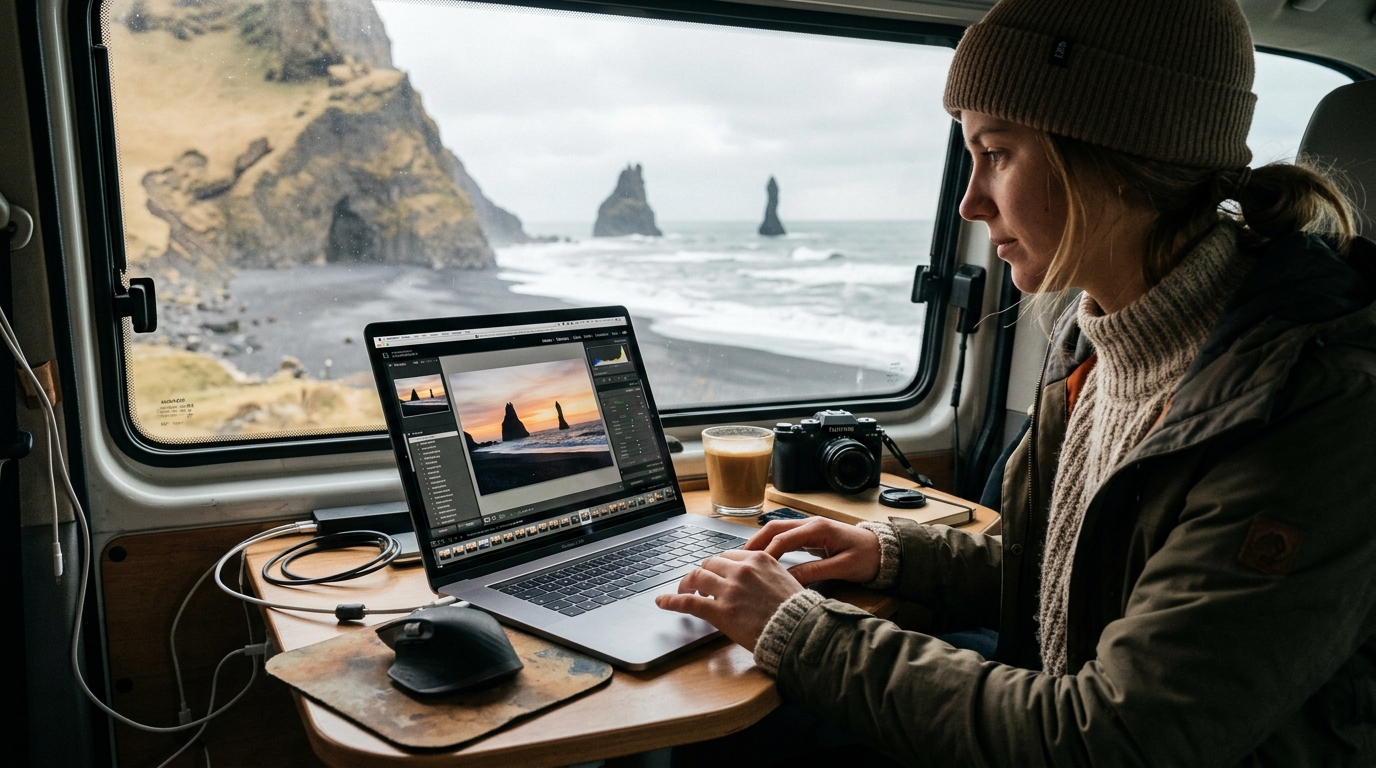
Transform Your Iceland Photography: A Guide to Choosing and Applying Lightroom Presets
Iceland, the land of fire and ice, offers unparalleled photographic opportunities, from the Northern Lights to powerful waterfalls and black sand beaches. Capturing this magic is one step; transforming raw images into stunning, emotive photographs is another. This is where post-processing becomes crucial, elevating your captures from records to masterpieces.
For photographers of all skill levels, mastering editing in Iceland's varied light and landscapes can be daunting. Lightroom presets Iceland photographers increasingly rely on are pre-configured settings for Adobe Lightroom that dramatically improve images, provide a consistent style, and save invaluable time. This guide will help you choose, apply, and customize the right presets to transform your Iceland photos into gallery-worthy art.
Why Lightroom Presets Are Essential for Iceland Photography
Iceland's diverse and dramatic landscapes present unique challenges and opportunities. Maintaining a consistent visual style across varied scenes, from glacial lagoons to volcanic beaches, is difficult, yet crucial for a cohesive portfolio. This is where Lightroom presets Iceland photographers find indispensable value, as they are highly effective for achieving a consistent style. A well-chosen set of Iceland landscape presets applies a signature look to all your images, creating a professional and unified collection.
Secondly, presets save significant time. Instead of manually adjusting sliders for every image, a preset applies a baseline instantly. This efficiency is a cornerstone of an optimized photo editing workflow Iceland photographers appreciate, especially when processing hundreds of images.
Thirdly, Iceland's challenging light conditions, from harsh midday sun to low light for Aurora Borealis, often require significant help for raw files. Presets provide a powerful starting point for correcting exposure, recovering highlights, and lifting shadows, enhancing subtle greens and purples of the Northern Lights without excessive noise, or balancing extreme dynamic range.
Finally, presets enhance specific elements of Iceland's beauty. They can deepen glacial blues, intensify unique moss greens, or add drama to moody skies. Whether aiming for vivid saturation or an ethereal aesthetic, the right preset draws out the inherent magic of Iceland's diverse palette.
Understanding Iceland's Unique Photographic Challenges and Color Palettes
To truly appreciate Lightroom presets for Iceland, understanding the island's inherent photographic challenges and distinctive color palettes is vital. Iceland is a land of extremes, and your camera sensor often struggles to capture the full spectrum of light and color. The goal is for presets to respect and enhance these natural tones without over-processing.
One pervasive challenge is dynamic range. Iceland's landscapes frequently feature incredibly bright skies juxtaposed against dark, shadowed foregrounds. Without careful exposure, you risk blown-out highlights or crushed shadows. Effective presets address this balance, recovering detail in both bright and dark areas without creating an artificial HDR look.
The island boasts a unique color palette:
- Volcanic Blacks: Deep, often reflective tones require careful handling to maintain detail. Presets enhance their moody depth and contrast.
- Glacial Blues: From ethereal turquoise to deep sapphire, these colors are often muted in raw files and benefit immensely from targeted enhancements.
- Geothermal Reds & Oranges: Striking reds, oranges, and yellows need boosting without looking oversaturated.
- Vibrant Greens: Lush moss-covered landscapes can appear dull in raw photos, requiring presets to enhance vibrancy.
Iceland's notoriously variable weather also drastically impacts light and color. A sunny day might call for a preset enhancing warmth, while an overcast day benefits from deepening blues and contrast. The ideal preset for Iceland offers flexibility to adapt to these shifts, or you might need a collection for different scenarios.
Key Characteristics of Effective Lightroom Presets for Iceland
When seeking the best presets for Iceland photos, look beyond just the name. Truly effective presets for this unique destination possess specific characteristics ensuring optimal performance across its diverse and challenging environments, empowering you to make informed choices.
1. Adaptability Across Diverse Scenes: A valuable preset pack includes options that perform well whether capturing waterfalls, aurora, mountains, or coastal areas. Look for presets offering variations or designed with enough subtlety to be a strong starting point for multiple scenarios. This adaptability is crucial for a comprehensive Iceland landscape photography map journey.
2. Optimized Color Science for Iceland's Palette: Effective presets are developed with Iceland's specific hues in mind:
- Blues: Enhancing glacial blues without artificiality.
- Greens: Enhancing unique moss greens to look lush and vibrant, transforming them from dull to breathtaking. These Moss Green Lightroom presets can completely transform your photos with beautiful shades of green. Source: Gillde source.
- Reds/Oranges: Bringing out geothermal and volcanic reds/oranges with natural warmth.
- Blacks: Deepening volcanic blacks for mood and contrast while preserving shadow detail.
3. Dynamic Range Preservation: Given Iceland's high-contrast scenes, presets must handle dynamic range effectively. This involves thoughtful adjustments to highlights and shadows to recover detail in bright skies and dark foregrounds without creating a flat image.
4. Natural vs. Stylized Approach: Consider your aesthetic. Some prefer natural enhancement, others a more stylized, dramatic look. The best presets for Iceland photos often come in packs offering a range, from subtle corrections to artistic interpretations. A mix is often beneficial.
5. Flexibility and Customization: No preset is a magic bullet. The most valuable presets serve as a strong starting point, easily tweaked. They should apply a solid foundation, leaving room for you to fine-tune exposure, white balance, and local adjustments. A good pack might include variations (e.g., "cool," "warm," "bright," "moody") for versatility. Source: Lenscraft Co source.
By prioritizing these characteristics, you'll select Lightroom presets Iceland photographers can truly rely on to transform their captures into captivating visual stories.
Top Categories of Iceland Lightroom Presets to Consider
Given the diversity of Iceland's landscapes, a single "one-size-fits-all" preset often falls short. Curating a collection of presets, or a comprehensive pack with variations, tailored to different environments and lighting conditions is often best. Here are top categories of Iceland landscape presets for your editing arsenal:
1. Glacial & Ice Presets:
- Purpose: Enhance stunning blues, whites, and textures of glaciers, ice caves, and icebergs (e.g., Jökulsárlón, Diamond Beach).
- Characteristics: Boost blues/cyans, desaturate yellows, increase clarity/dehaze, adjust contrast, and often cool white balance.
- When to use: Any scene with significant ice or snow.
2. Aurora Borealis Presets:
- Purpose: Bring out elusive greens, purples, and reds of the Northern Lights while maintaining dark, starry skies and minimizing noise in high ISO shots.
- Characteristics: Significant noise reduction, subtle saturation boosts for greens/magentas, contrast adjustments to deepen the sky, and sometimes a slight bump in whites for stars.
- When to use: For all Northern Lights photography, a starting point for challenging low-light captures.
3. Volcanic & Black Sand Presets:
- Purpose: Enhance dramatic mood, deep blacks, and rugged textures of volcanic landscapes, black sand beaches, and basalt columns.
- Characteristics:1. Deepen blacks/shadows, increase contrast, often with slight desaturation to emphasize monochrome elements. Clarity/texture sliders bring out rock details.
- When to use: Ideal for locations like Reynisfjara, Dyrhólaey, or lava fields, especially under moody skies.
4. Green Landscape Presets:
- Purpose: Boost lush, vibrant greens of moss-covered fields, rolling hills, and summer vegetation without artificiality.
- Characteristics: Target green/yellow hues, increasing saturation and luminance selectively. Often adjust green hue for richness.
- When to use: Perfect for summer shots of landscapes, especially in regions like the South Coast or Snaefellsnes Peninsula.
5. Golden Hour & Sunset Presets:
- Purpose: Enhance warm, soft light and rich colors during sunrise and sunset, bringing out atmospheric glow.
- Characteristics: Warm up white balance, boost oranges/reds/yellows, often add subtle glow or desaturate blues. Adjust highlights to protect sky details.
- When to use: For any shot taken around sunrise or sunset, particularly effective on landscapes, lighthouses (explore lighthouse locations here), and coastal scenes.
Having a selection of these specialized presets equips you to tackle various Iceland scenes, helping your photos achieve their desired look. Remember, categories often overlap, and a good pack might offer variations for maximum flexibility.
How to Choose the Right Lightroom Preset Pack for Your Style
With many Lightroom presets Iceland specific packs available, selecting the right one can feel overwhelming. Your choice should align with your personal editing aesthetic and photographic goals. Here's a systematic approach:
1. Evaluate Before-and-After Examples: This is critical. Pay close attention to examples from reputable creators:
- Do 'after' images resonate with your desired look?
- Do they show a good range of Icelandic landscapes?
- Are colors natural, or over-processed?
- Does the preset handle dynamic range well?
2. Consider Your Personal Editing Aesthetic and Photographic Goals:
- What mood do you want to convey (bright, moody, vibrant, natural)?
- What are your primary subjects in Iceland (Aurora, general tour)?
- Do you want a consistent look or varied styles?
3. Read Reviews and Testimonials from Other Iceland Photographers: Seek independent reviews from photographers who used the presets in Iceland.
- What do they say about ease of use and adaptability?
- Are there common complaints?
- Do they offer insights into support or updates?
4. Check for Compatibility with Your Version of Lightroom and Camera Files:
- Ensure compatibility with Lightroom Classic CC/CC (desktop/mobile).
- Confirm presets work well with your camera's RAW files (e.g., CR2, NEF, ARW) as well as JPEGs. RAW files offer maximum flexibility.[1]
- Older presets might not be optimized for newer camera sensors.
5. Look for Packs That Offer Variations or Adjustable Settings: Versatile packs often include:
- Multiple Presets: A base preset with several variations (e.g., "base +," "moody," "vibrant").
- Tool Presets: Additional presets for quick adjustments like grain or sharpening.
- Profile-based Presets: Newer Lightroom versions offer profiles for different color/tone starting points.
By carefully considering these factors, you can confidently choose a Lightroom presets Iceland pack that enhances your photos and complements your artistic vision.
Applying and Customizing Your Iceland Presets for Perfect Results
Purchasing high-quality Lightroom presets Iceland specific to Iceland is only the first step. The real enhancement occurs when you apply and, more importantly, customize them to suit each photograph. A preset is a starting point, not a final destination.
1. The 'Apply and Adjust' Method: Presets as a Starting Point: Apply your chosen preset to your RAW image. Observe the transformation. This initial application saves bulk manual work, setting overall tone and color. Now, refine.
2. Essential Post-Preset Adjustments You'll Often Make: After applying, most images benefit from fine-tuning:
- Exposure: Brighten or darken to taste.
- White Balance (Temp & Tint): Fine-tune Temperature (cool/warm) and Tint (green/magenta) for accurate colors.
- Contrast: Add more punch or a softer look.
- Highlights & Shadows: Recover detail in bright skies or dark foregrounds.
- Whites & Blacks: Control absolute brightest and darkest points, preventing blown-out whites or crushed blacks.
- Clarity & Dehaze: Enhance mid-tone contrast or remove/add atmospheric haze.
3. Utilizing Local Adjustments (Brushes, Gradients) for Targeted Enhancements: Global adjustments affect the entire image; local adjustments target specific areas:
- Adjustment Brush: Selectively brighten, darken, increase clarity, or add saturation to specific elements (e.g., boosting blue in an iceberg).
- Graduated Filter: Perfect for skies and foregrounds, balancing dynamic range between bright sky and dark landscape.
- Radial Filter: Draw attention to a central subject, create a vignette, or selectively adjust circular areas (e.g., spotlighting a mountain peak).
4. Creating Your Own Variations and Saving Them as New User Presets: Once you've made custom adjustments, save them as your own user preset. Go to Develop > New Preset..., give it a descriptive name, and select settings to include. This refines your photo editing workflow Iceland style.
5. Maintaining a Non-Destructive Editing Workflow: Lightroom's non-destructive editing means adjustments are instructions, not permanent changes to your RAW file. Experiment freely, knowing you can often undo or modify your work.
By diligently applying these steps, you'll master presets, creating breathtaking images that reflect Iceland's magic through your unique artistic lens.
Frequently Asked Questions
What are the best Lightroom presets for Iceland's diverse landscapes?
The "best" presets depend on your style, but for Iceland, look for versatile packs. Essential categories include presets for enhancing glacial blues/whites, deepening volcanic blacks/moody contrast, boosting vibrant greens, and specialized Aurora Borealis presets. Many top creators offer comprehensive "Icelandic Landscape" or "Nordic Adventure" packs suitable for different lighting. Prioritize packs with strong dynamic range handling and natural color enhancement.
Can I use one preset pack for all my Iceland photos, or do I need multiple?
While a single high-quality, versatile pack can be an excellent foundation, Iceland's varied environments (bright ice caves, stormy beaches, aurora) often benefit from a few different options or a pack with significant variations. A pack including distinct looks (e.g., "clean," "moody," "vibrant") or specialized presets for specific elements (like aurora or ice) offers maximum flexibility. Think of presets as tools; you wouldn't use a hammer for every job.
How do I install and effectively use Lightroom presets in my workflow?
Install presets in Lightroom Classic CC via Develop > Presets panel > '+' icon > Import Presets. For effective use, apply a preset matching your desired mood, then fine-tune essential sliders: Exposure, White Balance, Contrast, Highlights, and Shadows. Don't hesitate to adjust specific color channels (HSL panel) or use local adjustment tools (brushes, graduated filters) for targeted enhancements. Customization is key to developing your unique photo editing workflow Iceland style.
Are free Iceland presets as good as paid ones, and what's the difference?
Free Iceland presets are good for experimentation, often samples from paid collections. However, paid presets generally offer professional development with better color science/dynamic range, more comprehensive packs with variations, ongoing support, and a specific artistic vision. While free presets offer a quick fix, paid packs typically provide greater versatility, quality, and a more cohesive aesthetic for your Iceland landscape presets collection.
What's the key to customizing a preset to make it truly my own?
The key to customizing a preset is viewing it as a foundation. Once applied, dive into Lightroom's Develop module. Adjust Exposure and White Balance for accuracy. Refine the Tone panel (Highlights, Shadows, Whites, Blacks, Contrast) for dynamic range and mood. Experiment with the HSL/Color panel for specific colors. Crucially, utilize local adjustment tools (Adjustment Brush, Graduated Filter, Radial Filter) for targeted changes. Finally, add your personal touch with grain, sharpening, or split toning. Experiment, and save combinations you love as your own user presets.
Ready to capture Iceland's magic? Explore our Iceland Photo Maps to find your next breathtaking photography location, then apply your newfound preset knowledge to create stunning images!