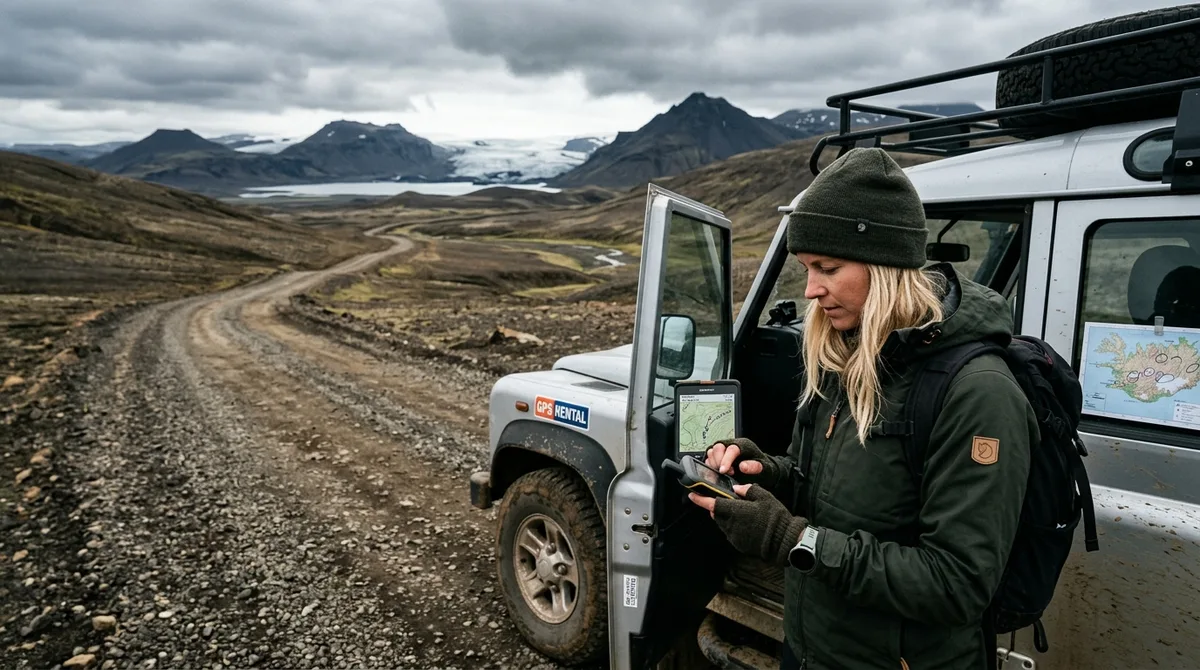
Direct Answer: What Is the Best Offline Map for an Iceland Road Trip?
The best offline map iceland road trip setup pairs an offline vector mapping engine—such as Organic Maps, OsmAnd, or Gaia GPS—with a standalone, curated GPX or KML waypoint file that separates vehicle parking coordinates from exact shooting viewpoints. General consumer navigation apps fail in Iceland because their offline modes route to the geographic center of large landforms rather than legal road turnoffs, and their offline search indexes break once cellular coverage drops along rural corridors.
A reliable field navigation workflow relies on a strict separation of concerns. Vector basemap tiles provide the topographical terrain, elevation contours, and road network data without an internet connection, while imported waypoint files mark precise parking spots, footpaths, compositions, and season-specific access notes. The KML, GPX and GeoJSON files live on your device, so the waypoints work with no signal. Downloading offline map tiles is a separate step inside your mapping app.
Why Standard Navigation Apps Fail Field Photographers in Iceland
Relying on standard smartphone navigation across Iceland routinely costs landscape photographers their target light. While consumer apps like Apple Maps and standard Google Maps function adequately within Reykjavík and along heavily serviced stretches of Route 1 (the Ring Road), they break down when subjected to the geographic realities of self-drive photography.
The primary point of failure is cellular connectivity dropouts. High-speed 4G and 5G networks cover significant portions of the Icelandic coastline, but deep signal shadows persist. In the Eastfjords, sections of Route 95 and the gravel climb over the Route 939 (Öxi pass) lose signal completely between high basalt ridgelines. The same issue occurs across the lava fields north of Lake Mývatn and along Route 862 leading to Dettifoss. When a streaming navigation app loses connection, vector rendering stops, rerouting fails, and any search query that was not cached in active memory stalls. Effective offline navigation for iceland photographers requires having the entire database of road vectors, topographic lines, and target coordinates saved locally to your device's storage before departure.
The second failure mode is spatial accuracy regarding terrain vs. vehicle access. Commercial map search algorithms rely on polygon centroids. If you search for a canyon, a mountain peak, or a river bend, the algorithm places the navigation pin at the geographic center of the feature. In Iceland, this frequently routes drivers onto impassable riverbanks, unmaintained farm tracks, or sheer canyon edges rather than designated, legal parking areas. Arriving at a 400-meter canyon only to find your mapping app directed you to the cliff on the opposite side of the footbridge costs thirty to forty-five minutes of driving—often burning the entire golden hour window.
Third, standard apps consistently fail to convey track classifications and vehicle legalities. Iceland classifies roads strictly: paved highways, gravel secondary roads, and mountain tracks (prefixed with an "F"). Paved roads present few issues, but secondary gravel roads can quickly deteriorate into washboards and rutted mud, while F-roads require high-clearance 4x4 vehicles by law. Consumer navigation apps frequently route unaware drivers down rough tracks or across unbridged river fords to shave three minutes off a trip, threatening oil pans, voiding rental insurance policies, and halting shoots before they begin.
Relying on static offline Google Maps areas introduces further operational hurdles in the field:
- Offline search functionality is severely restricted; minor geographic features, mountain names, and specific waterfall turnoffs are excluded from the reduced offline package.
- Custom saved lists ("Want to Go" or starred pins) routinely disappear or fail to render without an active cellular connection to authenticate the user account.
- Saved pins in consumer apps do not store custom metadata locally, depriving you of vital focal-length notes, parking restrictions, terrain warnings, or elevation data when offline.
Offline Basemap Engines Compared: Organic Maps, OsmAnd, and Gaia GPS
Executing an efficient gps map iceland self-drive photography trip requires choosing an offline basemap application capable of rendering OpenStreetMap (OSM) vector data independently of cellular data networks. The mapping application handles spatial rendering and path calculation, while the imported coordinate file provides the photography points of interest. The files are waypoints. Your own mapping app — Gaia GPS, OsmAnd, Organic Maps, a Garmin — does the routing.
| Decision Criteria | Organic Maps | OsmAnd | Gaia GPS |
|---|---|---|---|
| Primary Use Case | Fast, lightweight roadside lookup & clean map reading | Technical field navigation with elevation & track recording | Deep backcountry route planning & satellite layer caching |
| Map Rendering Engine | OpenStreetMap (OSM) vector engine, optimized for speed | Highly customizable OSM engine with plugin architecture | Multi-source engine (OSM, USGS, Mapbox, proprietary topo) |
| File Formats Accepted | KML, KMZ | GPX, KML | GPX, KML, GeoJSON |
| Elevation / Contours | Basic elevation markers; no contour lines | High-density contour lines & hillshading (requires plugin/download) | Contour lines, slope angle shading, topographic overlays |
| Battery Consumption | Very Low (efficient C++ codebase, no background telemetry) | Moderate to High (complex rendering calculations) | Moderate (depends heavily on cached satellite layer usage) |
| Cost Structure (2026) | Free, open-source | Free tier; paid subscription for unlimited maps/hillshading | Freemium; paid annual subscription for offline multi-layering |
Organic Maps
Organic Maps is a privacy-focused, open-source fork of MAPS.ME that strips away tracking, ads, and bloat. For self-drive photographers, its main advantage is power efficiency and instant UI responsiveness. Because it runs on an optimized vector engine, panning and zooming through Iceland’s entire road network causes zero lag, conserving battery life when operating out of a rental vehicle in freezing temperatures. It parses KML and KMZ files directly. While it does not offer topographic contour lines or hillshading layers, its clean depiction of track surfaces, walking paths, and parking lots makes it the fastest roadside tool for confirming turns along the Ring Road and Snaefellsnes Peninsula. If you use this app, follow our step-by-step instructions at importing into Organic Maps.
OsmAnd
OsmAnd is the most comprehensive vector map engine available for mobile devices, running directly on global OpenStreetMap data. It allows photographers to download the complete vector map of Iceland alongside specialized offline contour lines and hillshading datasets. OsmAnd calculates accurate driving and walking times across non-standard terrain and displays track elevations, making it invaluable for judging the physical exertion and timing of steep hikes, such as the climb up to the basalt columns above Svartifoss or the rim of Hverfjall crater. It accepts raw GPX files seamlessly. Photographers can configure the screen to display altitude, target bearing, and sunrise/sunset times. For setup guidance, refer to our walkthrough at importing GPX into OsmAnd.
Gaia GPS
Gaia GPS is an expedition-grade navigation platform widely used by backcountry hikers and off-road drivers. Its core strength lies in multi-layer offline caching: you can layer an OpenStreetMap-based topographic vector map underneath high-resolution aerial satellite imagery. For landscape photographers attempting to scout exact cliff ledges, coastal sea stacks, or braided riverbeds in the Southern Highlands (such as Landmannalaugar or Þórsmörk), cached satellite photography reveals visual terrain features that vector lines cannot capture. Gaia GPS processes GPX, KML, and GeoJSON files. Review our direct guide at importing KML into Gaia GPS to establish this layered setup.
Structuring the Best Offline Map for an Iceland Road Trip Workflow
Executing an efficient photography tour across Iceland requires a systematic data-staging process. Setting up your navigation tools must happen long before you step foot onto the tarmac at Keflavík International Airport (KEF).
- Pre-Download Country Vectors Over High-Speed Wi-Fi: Mobile map downloads inside rental car pickup centers are prone to data throttling and dropped packets. At home, open your chosen navigation engine (Organic Maps, OsmAnd, or Gaia GPS) and download the offline basemap for the entire nation of Iceland. In OsmAnd, download both the "Standard map" and the "Contour lines" package for Iceland. In Gaia GPS, create an offline map polygon that covers the whole island, select your topographic and satellite layers, and cache zoom levels down to 1:24,000 equivalent.
- Import Validated Coordinate Datasets: Raw coordinates copy-pasted out of blog posts or captured from social media images routinely contain format errors, missing minus signs for western longitudes, or datum shifts. Use standardized files containing verified latitude and longitude coordinates. You can test your app’s spatial rendering using our free 5-location sample pack before deploying the full database. When you are ready for the entire country, load all 121 verified shooting spots and parking waypoints via the Complete Iceland Photo Map ($29).
- Organize Waypoints by Directional Priority and Light Windows: Once imported, sort your waypoints into visual layers or categories within your app. Group your targets by optimal lighting requirements: morning light (sunrise/blue hour) for east-facing coastal bluffs and waterfalls, midday overcast for high-contrast volcanic canyons, and late evening light (sunset) for west-facing beaches, sea arches, and turf churches. Ensure parking locations use distinct pin icons from compositional camera viewpoints so you rarely attempt to steer your vehicle along a pedestrian trail.
For Android users running in-car setups, Iceland Co-Pilot is live on Google Play, Android only, and included free with any Iceland Photo Map purchase — it is not sold separately and there is no separate Co-Pilot tier. The location catalog, field notes, parking and access notes, and arrival detection work today; full offline map tiles, light windows, road and weather status, and day routing are still in development.
Field Testing Coordinates: Navigating Barnafossar and Aldeyjarfoss
To understand the practical necessity of splitting vehicle parking coordinates from photography viewpoints, consider two locations featuring distinctly different terrain and access profiles: Barnafossar in the west and Aldeyjarfoss in the north.
Barnafossar (West Iceland)
Barnafossar presents a complex maze of rapids squeezing through a narrow volcanic gorge fed by the Hvíta river. When photographers search for this location in consumer apps, algorithms often place the coordinate marker out over the water or along an unpaved service path on the southern bank of the river, where physical access is blocked by private land and safety barriers.
The field-verified access point is located at 64.7019° N, 20.9712° W, reached via Route 518. This coordinate leads directly into the established, paved vehicle parking area adjacent to the wooden pedestrian footbridges. Arriving here during early morning twilight allows you to set up carbon-fiber tripods along the designated viewing platform without scrambling over hazardous wet lava rock. Detailed information on shooting the vivid turquoise waters and composite falls can be found on our Barnafossar location page.
Aldeyjarfoss (North Iceland)
Aldeyjarfoss offers an even starker example of why generic mapping fails. Located in the upper reaches of the Bárðardalur valley, this waterfall plunges into a wide basin framed by symmetrical basalt columns. Approaching from the north requires driving south along Route 842. At the farmstead of Mýri, the road transitions into the rough, rocky track of the F26 (Sprengisandur route).
Standard navigation apps frequently instruct drivers to continue down rough farm spurs or indicate that the road is impassable even during open summer months. The actual parking access point sits at 65.3665° N, 17.3368° W, marked by a gate and an information board. From this parking area, reaching the dramatic lower viewpoints requires a steep descent on foot down a loose gravel path that is inaccessible to vehicles. Detailed approach notes, seasonal access windows, and shooting advice are documented at the Aldeyjarfoss location page, with additional cataracts cataloged in our Waterfall map collection.
Having reliable, field-checked documentation ensures you don't mistake walking tracks for driving access or lose an entire shoot to a blocked trail. To maintain strict data integrity, 9 of the 121 locations carry written field notes today. Every location carries coordinates, category and season. Furthermore, 112 of the 121 locations carry a researched brief compiled from published sources, each listing its sources. The briefs ship inside the paid KML, GPX and GeoJSON files as a section headed "Background (from published sources, not a field visit)". These are distinct from the 9 locations with written field notes.
Road Safety, Closures, and Real-Time Information Boundaries
While an offline map is indispensable for field navigation, photographers must understand what static GPS files can and cannot do. A GPX or KML file stores fixed spatial data points; it has no live connection to environmental monitoring services. The files carry season and access notes, not live conditions. Check vedur.is and road.is for current weather and road status.
Environmental conditions in Iceland shift rapidly due to low-pressure systems sweeping across the North Atlantic. What was an easily passable gravel road at 08:00 can turn into a washed-out mud hazard or an ice sheet by 14:00. Pay close attention to three critical field boundaries:
1. Road Classifications and Seasonal Openings
Mountain roads and F-roads remain strictly closed throughout winter, spring, and early summer to prevent severe soil erosion and vehicle damage. Opening dates are governed by the Icelandic Road and Coastal Administration (Vegagerðin) and vary wildly based on snowpack depth. Roads such as the F208 to Landmannalaugar or the F26 through the interior rarely open before mid-June, and lingering snowdrifts can keep them impassable well into July. Attempting to drive on a road marked Ófært (impassable) or Lokað (closed) is illegal, carries fines exceeding a measurable budget USD, and invalidates all insurance coverages.
2. River Fords and Glacier Outbursts
No offline mapping engine can calculate the instantaneous depth, flow rate, or riverbed stability of glacial river crossings. Rivers like the Krossá in Þórsmörk or the Bláfjallakvísl on the Fjallabak route fluctuate hourly based on ambient temperature, direct sunlight melting glacial ice, and rainfall. A river ford that was easily crossed by a modest 4x4 in the cold early morning can become deep enough to submerge an engine intake by late afternoon. often monitor official advisories before committing to highland routes.
3. Weather Warnings and Search and Rescue Directives
High winds present a severe hazard to high-profile campervans and rental SUVs. Sustained wind speeds exceeding 15–20 m/s (30–40 knots) with gusts topping 30–35 m/s routinely flip vehicles, rip car doors backwards off their hinges, and strip paint through airborne basalt gravel. When operating near sea cliffs (such as Dyrhólaey or the Reykjanes peninsula) or exposed mountain passes, always check the safety alerts published by ICE-SAR through safetravel.is. If you venture into remote locations, file a travel plan with ICE-SAR and carry a dedicated satellite messenger or personal locator beacon (PLB).
Evaluating Data Transparency: Open Coordinates vs. Proprietary Apps
When selecting navigation resources for an investment-heavy photography trip, workflow flexibility and data ownership matter. Proprietary travel apps often trap their location lists behind recurring subscription models, proprietary software ecosystems, or closed platforms that cannot export raw coordinate data to professional GPS handhelds or third-party mapping engines.
We reject this closed approach. The coordinates are published as an open CC-BY dataset. What is sold is the curation, the formats and the season and access notes — not secrecy. You can review the raw geographic distribution openly at our open coordinate dataset page.
Our operational model prioritizes speed, privacy, and device autonomy for working photographers:
- Buying does not create an account. The files are emailed and downloadable directly.
- Every purchase delivers GPX, KML, and GeoJSON files packaged together, allowing you to load coordinates into handheld Garmin units, tablet-based navigation systems, or desktop GIS software like Google Earth Pro for 3D sun-angle scouting.
- Iceland Photo Map sells downloadable files. Nothing is printed or posted.
- Iceland Photo Map does not publish customer reviews, testimonials or star ratings, and no rating markup appears on the site.
- If the file does not load on your device, email within 30 days and we either get it working or refund you.
By keeping the data open, modular, and formatted to universal spatial standards, your navigation remains completely reliable regardless of your smartphone operating system, device age, or cellular network status.
Frequently Asked Questions
What is the best offline map app to pair with GPX files for an Iceland road trip?
For technical terrain analysis, elevation tracking, and field navigation with GPX files, OsmAnd is the most capable offline application. It provides customizable contour lines, hillshading plugins, and detailed path rendering directly from offline OpenStreetMap vectors. For users who prefer a streamlined, battery-efficient interface that loads instantly for simple roadside check-ins, Organic Maps is the premier choice, utilizing lightweight vector rendering and accepting standard KML files.
Can I rely solely on Google Maps offline mode for Iceland photography spots?
No. While Google Maps allows you to cache square geographic zones for offline road navigation, its offline search algorithms degrade severely, frequently failing to identify rural geographic points, small waterfalls, or minor turnoffs. Furthermore, user-saved pins often do not show up reliably without an active data connection, and the app routes vehicles toward the geographic center of large natural features rather than safe, legal parking areas.
Do offline GPX files provide turn-by-turn voice navigation in Iceland?
GPX files do not contain spoken voice commands; they are raw spatial data files storing latitude, longitude, and elevation points. When you import a GPX waypoint file into a dedicated offline routing app like OsmAnd or Gaia GPS, the hosting application calculates turn-by-turn directions along known roads to that specific coordinate. The files are waypoints. Your own mapping app — Gaia GPS, OsmAnd, Organic Maps, a Garmin — does the routing.
How do I check current road closures and weather if I have no cellular service?
You cannot check dynamic conditions without a data connection; an offline map only displays static terrain and pre-recorded notes. Before leaving areas with Wi-Fi or cellular service each morning, you must inspect the dynamic condition reports on road.is for surface closures and vedur.is for wind and precipitation forecasts. When driving through remote highland or fjord sectors, monitor public digital warning signs along the highway, or carry a satellite communicator (such as a Garmin inReach) to receive safety alerts off-grid.
Download the free 5-location sample pack at /sample to test GPX and KML imports on your navigation app, or get all 121 verified shooting spots and parking waypoints in the Complete Iceland Photo Map for $29 at /maps/All.