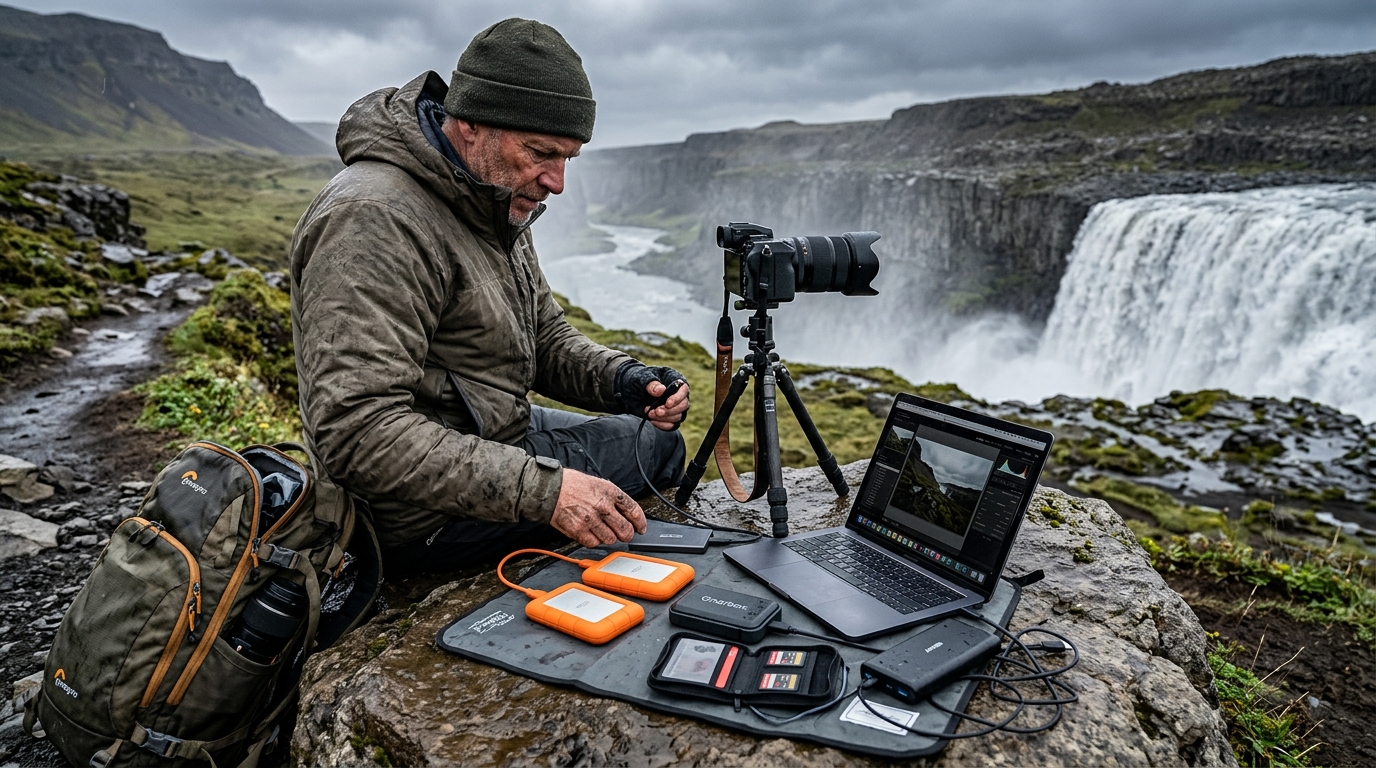
A robust Iceland photography storage workflow is the only barrier between your once-in-a-lifetime captures and total data loss caused by the country’s unpredictable environment. By implementing a redundant system that accounts for extreme moisture, shifting temperatures, and the isolation of remote regions, you ensure that every frame captured—from the majestic Dynjandi waterfall to the rugged coastlines of the Westfjords—remains safe until you return home.
Why Iceland Demands a Specialized Storage Workflow
Iceland is a photographer’s paradise, but it is also a hostile environment for sensitive electronic equipment. The combination of high humidity near waterfalls, freezing temperatures in the Highlands, and pervasive volcanic dust creates a challenging environment for hardware.
First, consider the environmental impact. Volcanic dust in Iceland is fine and abrasive. If this dust enters the ports of a portable hard drive or a laptop, it can interfere with mechanical components or electrical contacts. Second, the humidity—especially near high-energy sites like Dettifoss—can lead to condensation inside your gear when you move from the frigid outdoors into a heated vehicle or cabin. Rapid temperature changes are a leading cause of internal moisture buildup, which can damage sensitive electronics. For guidance on protecting your hardware from environmental elements, refer to professional photography equipment maintenance guides. Additional technical insights on storage reliability can be found via Backblaze’s data integrity resources. Experts emphasize that relying on a single storage medium is a significant risk factor for data loss, and environmental stress is a known contributor to memory card degradation as noted by the SD Association. Source: Nikonusa source.
Furthermore, the remote nature of areas like the Westfjords means that if you experience a hardware crash, there is no local repair shop to assist. Many photographers operate under the assumption that high-capacity SD cards are infallible. However, flash memory can suffer from corruption, physical loss, or heat damage.
The 3-2-1 Backup Rule Applied to Travel
The industry-standard 3-2-1 backup methodology remains the gold standard for data integrity, even when you are thousands of miles from your home studio. To adapt this for an Iceland expedition, we define the rule as follows:
- 3 copies of your data: Your original files (on the SD card), a primary backup (on a portable SSD), and a secondary backup (on a separate, geographically isolated device or cloud storage).
- 2 different media types: Do not rely solely on flash-based memory. Use a combination of SD cards and ruggedized external SSDs to mitigate the risk of a single-point failure.
- 1 off-site copy: This is essential for travel. This can be a cloud upload or, more practically for travel, a physical copy kept on your person that remains separated from your main camera bag.
Maintaining three copies without a desktop computer requires a mobile ingest station. We recommend carrying a lightweight tablet or a small laptop capable of running file verification software. Physical separation is the final, critical step: rarely store your primary drive and your secondary backup in the same bag. If your gear bag is lost, stolen, or dropped in a glacial river, you need to ensure the secondary drive is in your jacket pocket or a separate daypack.
Selecting the Best Portable Hard Drive for Travel Photography
When selecting the best portable hard drive for travel photography in Iceland, you must prioritize mechanical durability over raw storage capacity.
SSD vs. HDD: The Durability Verdict
For travel in rugged environments, solid-state drives (SSDs) are generally preferred over hard disk drives (HDDs). HDDs contain moving platters and read/write heads that are susceptible to damage from drops, vibrations, and temperature-induced friction. SSDs have no moving parts, making them more resistant to the physical shocks common when traversing Iceland’s F-roads. Source: Kingston source.
IP Ratings and Environmental Protection
Look for drives with an IP67 rating or higher. The "6" indicates total protection against dust ingress, while the "7" indicates the device can withstand immersion in water up to one meter for 30 minutes. This is critical for photographers shooting in the mist of Icelandic waterfalls.
Power Management
Avoid high-draw, mechanical drives that require external power bricks. Select bus-powered SSDs that operate efficiently on your laptop’s battery power, as electricity in remote huts or campervans may be limited.
Field-Tested Iceland Photography Storage Workflow Steps
A disciplined routine is the only way to ensure your data survives the trip. Your workflow should be executed at the same time every evening.
- Ingest: Use a high-speed card reader to move files from your SD card to your primary laptop storage. Use software like Lightroom or Photo Mechanic to perform a "copy and verify" function.
- Verify: Use software that checks file checksums to ensure that the data on your drive is an exact match of the data on your card.
- Secondary Backup: Copy the ingested files to your secondary ruggedized SSD.
- Cloud Synchronization: If you are near a stable Wi-Fi connection, trigger a background sync to a cloud service. Even if you only upload low-resolution previews or select "hero" shots, this provides an off-site safety net.
- Location Tracking: Use our Iceland Photo Map resources to reference the specific sites you have visited, ensuring your folder structure remains organized and consistent with your travel logs.
Protecting Your Gear from Environmental Hazards
Waterproofing your storage setup starts before you even leave the car. For waterfall photography, keep your storage drives inside a dedicated, hermetically sealed dry bag. Even if your camera bag is water-resistant, the spray from a waterfall like Skógafoss can penetrate zippers over time.
When dealing with volcanic dust, keep your laptop and drives in sealed, anti-static bags when not in use. Static electricity can build up in the dry, windy conditions of the Icelandic Highlands, potentially damaging data ports.
Temperature management is equally vital. When moving your drives from a cold environment (the car at -5°C) to a warm environment (a cabin at 20°C), do not immediately plug them in. Allow your gear to acclimate to the ambient temperature inside your camera bag for at least 30 minutes to prevent internal condensation from forming on the circuit boards.
Managing Storage While Scouting Locations
Organization is part of your data security. If you return home with thousands of unorganized files, you are more likely to lose data during the messy post-processing phase. We recommend a folder structure based on the date and the specific region. For example: 2026-07-23_SouthCoast_Dyrholaey.
Use digital maps to track your progress. By keeping your storage organized by location, you can cross-reference your files with the Iceland Photo Map. If you know you visited a specific site, your folder structure should reflect that, making it easy to identify if any files are missing during your daily verification routine.
In the unlikely event of data corruption, do not attempt to "fix" the card or drive using software tools while in the field. If a drive fails, power it down immediately and keep it safe. Attempting to recover data using non-professional software on a failing drive often causes permanent, irreversible damage.
Frequently Asked Questions
Should I use an SSD or HDD for my Iceland photography trip?
For an Iceland trip, you should prioritize ruggedized SSDs. The physical vibrations from driving on F-roads and the risk of drops in outdoor conditions make mechanical HDDs a liability. SSDs are faster, lighter, and more resistant to the environmental hazards of the Icelandic landscape.
How do I back up photos without a laptop in Iceland?
If you are traveling without a computer, consider a portable "backup hub" or a portable SSD with a built-in SD card slot. These devices allow you to insert an SD card and initiate a direct copy to the drive, providing a backup without needing a laptop.
What is the best way to protect my hard drives from moisture near waterfalls?
The best approach is a "nested" protection strategy. Keep your drives in a small, hard-shell protective case, and place that case inside a dedicated, high-quality dry bag. Avoid opening your dry bag in the immediate spray zone of a waterfall to prevent moisture from entering the storage environment.
How often should I perform a full backup of my SD cards?
You should perform a full backup every single night. Avoid allowing your SD cards to reach full capacity before backing them up. By clearing your cards daily, you minimize the amount of data at risk if a card were to fail, and you maintain a fresh, formatted card for the next day's shooting.
Why is a 3-2-1 strategy essential for Iceland?
The 3-2-1 strategy is essential because Iceland’s remote geography makes professional data recovery services inaccessible. Having three copies across two media types with one off-site ensures that even if one drive is lost in a river or stolen, your work remains preserved.
Conclusion: Peace of Mind for Your Iceland Expedition
Your Iceland photography storage workflow is a fundamental component of your expedition. By treating data management with the same care as your composition and lighting, you ensure your work is protected. Remember: the goal of this preparation is to remove the anxiety of potential loss so you can focus entirely on the art.
Start by auditing your current gear. Ensure you have at least two ruggedized SSDs, a reliable, fast card reader, and a consistent daily routine that accounts for the harsh realities of the Icelandic climate. Whether you are chasing the light at a remote lighthouse or capturing the dramatic cliffs of the coast, your data deserves the highest level of protection.
Plan your next photography adventure with confidence. Download our comprehensive Iceland Photography Map to plan your route and keep your location data organized alongside your photo backups, ensuring every incredible moment you capture is protected for years to come.